Brightspace Pulse
- 4.8
- Rating
- 1.00M
- Installs
- Free
- Price

 Analysis by App-foxy
Brightspace Pulse is the kind of education app I appreciate most when my course life is already busy. Rather than trying to replace a full learning platform, it puts the information I need to keep moving in a more convenient mobile view. I can check course calendars, readings, assignments, evaluations, grades, and news without opening a desktop browser every time. That sounds simple, but it solves a real problem: remembering where the next deadline is when several classes are competing for attention.
After spending time with it, my impression is that this is best understood as a companion for Brightspace courses, not as a complete classroom in your pocket. Its usefulness depends heavily on whether your school or instructor uses Brightspace and how much course material is made available there. When that connection exists, the app can make academic planning feel less scattered. When it does not, there is little reason to install it.
How Brightspace Pulse fits into everyday studying
The app comes from D2L Corporation and belongs firmly in the education category. It is free, carries an Everyone age rating, and supports devices running Android 7.0 or later. Those details make it easy to try without financial commitment, especially for students who want a quick way to see whether it fits their routine before changing anything about their study system.
You May Also Like

 Blood Strike: 2.5 Anniversary
Blood Strike’s Loadouts Turn Every Drop Into a Tactical Gamble
A close look at Blood Strike’s custom loadouts: how fast access to signature weapons reshapes its battle royale rhythm, rewards preparation, and narrows the gap between fights.

 Pandora - Music & Podcasts
Pandora’s Music Is Easy to Start, but Harder to Recover
Pandora’s strength is its low-effort path from a seed to a station. Its weak spot is how much confidence it asks you to place in connection, setup, and quiet recovery.

 8 Ball Pool
 Is Built on Rivalries, Rematches, and Routine
A close look at the rivalries, rematches, shared routines, and unanswered safety questions that turn a quick pool match into a persistent mobile community.

 Samsung Music
’s Quiet Strength Is Playing What You Already Own
Its reach comes less from spectacle than from dependable access to a personal library. That simplicity is both the app’s strongest retention engine and its ceiling.

 AccuWeather: Weather Radar
AccuWeather Review: A Quick, Clear Forecast for Everyday Decisions
For everyday plans, the best forecast is the one you can understand quickly. AccuWeather makes rain timing, radar, and local conditions easy to act on, with a few trade-offs.

 Hill Climb Racing
Why Hill Climb Racing Still Turns Crashes Into One More Run
A tiny car, a bumpy hill and one more upgrade: Hill Climb Racing keeps resurfacing because its simple chaos makes every near-miss feel personal.
More From Our News Desk



Its public reception is also strong: Brightspace Pulse has a 4.8 average from around 27 thousand ratings, with more than 2 thousand written reviews and over 1 million installs. I would not treat those figures as a guarantee that every school’s setup will feel equally smooth, because the course configuration matters a lot. Still, they suggest that the basic idea works for a substantial number of learners.
The current version is 2.2604.1.1003512, and the app has been available since August 21, 2015. That long presence matters in a practical way. This is not a brand-new experiment built around a fashionable study trend; it is a focused mobile companion that has had time to become familiar to people who already use the Brightspace environment.
What I like immediately is the focus. I do not open it expecting a social feed, a general note-taking workspace, or a library of unrelated lessons. I open it to answer questions such as, “What is due next?” “Did my instructor post anything?” and “Where do I stand in this course?” Keeping those questions together is more useful than it may sound during a crowded week.
The cost is straightforward, but access is not universal
Brightspace Pulse is free to download and use as an app. That makes its value proposition uncomplicated: there is no purchase decision to make before testing it. I can install it, sign in through the relevant learning environment, and decide whether it improves my routine without paying for a premium tier or committing to a subscription.
There is an important distinction, though. Free access to the app does not mean free access to a course or institution. The app is useful when my school, college, training provider, or instructor works with Brightspace. In other words, the financial barrier is low, but the platform requirement is decisive. A student whose classes use another system will not gain much simply because the download costs nothing.
I also think this distinction helps avoid an unfair comparison with paid study products. Brightspace Pulse is not selling tutoring, a private course catalog, or a standalone productivity system. Its value comes from making existing Brightspace course information easier to follow on a mobile device. That is a narrower promise, but it is also a more honest one.
Where the app delivers practical value
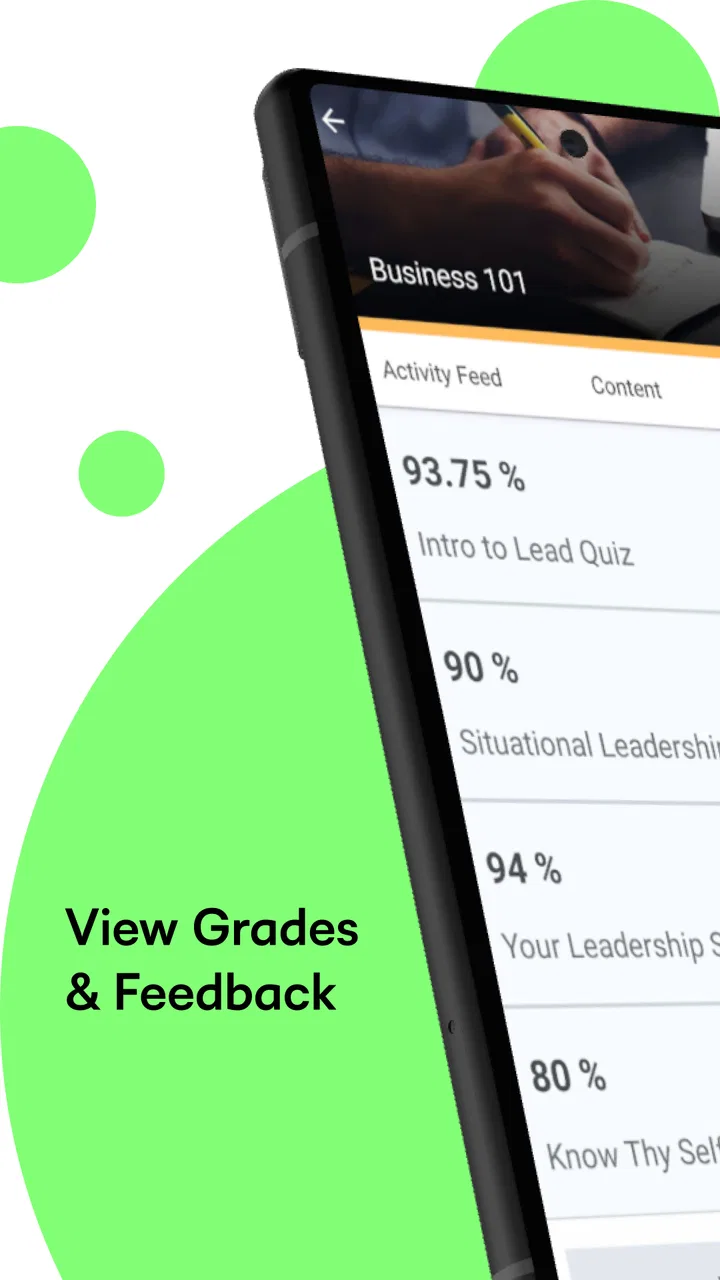
The strongest benefit is the combination of academic information in one place. A calendar view can help me see the shape of the week, while readings and assignments give me the details behind each task. Evaluations and grades provide feedback about progress, and news helps surface course communication that might otherwise remain unnoticed until I next sit down at a computer.
I find the calendar especially useful when I treat it as a planning checkpoint rather than a complete personal planner. For example, on Sunday evening I can look across my courses, identify the nearest deadlines, and decide which reading needs attention first. I then use my normal phone calendar or task list for personal appointments and study blocks. This division works better than expecting the education app to manage every part of my life.
A realistic scenario is a student commuting between classes and work. During a short break, they can check whether an assignment is approaching, review the related reading, and see whether course news has changed the plan. That does not replace doing the assignment, but it reduces the number of small uncertainties that can cause missed work. The app is most valuable in those brief moments when opening a laptop would be inconvenient.
Grades and evaluations serve a different purpose. They are not just information to glance at after submitting work; they can help me decide where to spend limited study time. If one course shows a recent evaluation that needs follow-up, I can make that part of my next study session instead of relying on memory. I would still use the full course environment for detailed review, but the mobile view makes checking progress less of an event.
News is another small feature with outsized practical value. Course announcements are easy to miss when I only check materials at fixed times. Having them visible alongside the rest of the course picture encourages a quick habit: open the app, scan for changes, then return to whatever I was doing. That habit is particularly useful in courses where instructions or timing can shift during the term.
Three habits that make it more useful
My first recommendation is to use the app at two different speeds. A fast daily check is for news and imminent deadlines. A slower weekly review is for comparing all courses and spotting clusters of work. Treating every visit as a deep study session makes the app feel heavier than it needs to be, while checking only one deadline at a time can hide a difficult week until it is too late.
Second, I would separate visibility from execution. Seeing a reading or assignment in Brightspace Pulse tells me what needs attention, but I still need a deliberate place to do the work. I use the app as the source for course status and a separate notebook or task system for breaking large assignments into smaller actions. This prevents the common mistake of believing that a visible deadline is the same as a workable plan.
Third, I would check course news before relying on an older plan. A calendar entry can tell me what was scheduled, while a recent announcement may explain a change or add context. This is a subtle but important workflow: I look for updates first, then interpret the calendar and assignment list. It reduces the chance of preparing for an outdated instruction.
The tradeoffs I noticed
The app’s focus is also its main limitation. It is excellent at giving me a mobile view of Brightspace information, but it is not the best choice if I want one universal academic organizer across several platforms. If my institution uses Brightspace for some work and another learning system for the rest, I may still need multiple apps and a separate planning method.
There is also a difference between monitoring and creating. I can use the app to keep track of readings, assignments, evaluations, grades, and news, but I would not choose it as my primary tool for writing a long paper, organizing detailed research, or building a complex revision schedule. A laptop browser, document editor, or dedicated task manager is more comfortable for those jobs.
Another tradeoff is that the quality of the experience follows the quality of the course setup. If an instructor keeps materials, deadlines, and announcements organized, the app becomes a reliable dashboard. If information is incomplete, inconsistent, or spread across different places, the app cannot magically repair that structure. This is not a fault unique to the mobile interface, but it is something I would keep in mind before blaming the app for a confusing course.
I also would not install it expecting a motivational study coach. Brightspace Pulse can make responsibilities easier to see, but it does not remove the need to prioritize, estimate time, or start difficult work. Students who want reminders, habit streaks, flashcards, or a unified personal planner may prefer adding another tool rather than expecting this one to cover those roles.
How it compares with the usual alternatives
Compared with opening Brightspace in a mobile browser, the dedicated app feels more purposeful for quick checks. A browser can be flexible, especially when I need the complete desktop-style course experience, but an app designed around course status is easier to reach when I only want the next deadline or a recent announcement. I see the two options as complementary rather than competing replacements.
Compared with a general calendar app, Brightspace Pulse has better context for academic information. A general calendar is stronger for combining classes with appointments, work shifts, and personal commitments, but it usually requires me to enter course details manually or maintain them myself. The education-focused view is more convenient for checking what belongs to the course environment.
Compared with a note-taking or task-management app, it offers less freedom but also less setup. I cannot expect the same flexibility for custom tags, personal workflows, or detailed project planning. In return, I do not have to recreate every course deadline just to get a useful overview. For me, the best arrangement is to let Brightspace Pulse handle course awareness and let another tool handle personal execution.
Who should use it, and who should skip it?
I would recommend it to students whose institution uses Brightspace and who regularly move between a phone, classes, work, and home study. It is particularly suitable for people who miss announcements, lose track of deadlines across several courses, or dislike opening a full browser just to confirm one piece of information.
It can also help adult learners and part-time students who need quick access during irregular schedules. When study time is divided into short windows, the ability to check course activity without setting up a full workstation has real value. The app does not create extra time, but it can make those small windows more informed and less wasteful.
I would skip it if my school does not use Brightspace, or if I already have a reliable system that combines every course platform with my personal schedule. I would also look elsewhere if my main need is intensive writing, detailed project management, flashcard practice, or a standalone learning library. In those situations, a browser, productivity app, or specialized study tool is likely to be a better fit.
My verdict on the free download
Brightspace Pulse earns my recommendation for the specific job it sets out to do: keeping Brightspace course activity visible when I am away from a computer. Its free price removes the usual trial-or-subscription hesitation, and its education-focused design is more useful than a generic calendar when I need to understand what is happening inside my courses.
The best reason to install it is not that it replaces every study tool, but that it reduces the friction between a course update and my next action. I can check the week, notice a new announcement, review progress, and decide what deserves attention without rebuilding the whole academic picture from memory.
My final advice is simple: install it if Brightspace is already part of your school life, then give it a week of daily deadline and news checks. If that routine makes your workload easier to see, it is a worthwhile companion. If you need a complete planner or your courses live elsewhere, the free download will not change that. For the right learner, though, the focused approach is exactly what makes Brightspace Pulse useful.
FAQs for Brightspace Pulse
01What is Brightspace Pulse used for?
Brightspace Pulse is a mobile app designed to help students stay connected and on track with their courses. It provides real-time updates on course content, deadlines, and grades. The app aims to enhance the learning experience by offering a central hub for students to manage their academic responsibilities effectively.
02How does Brightspace Pulse sync with my courses?
Brightspace Pulse syncs with your courses using the Brightspace Learning Environment. Once you log in with your institutional credentials, the app automatically updates with all your associated courses. This includes any changes made by instructors, such as new assignments or updated grades, ensuring you have the latest information at your fingertips.
03Is Brightspace Pulse available on both Android and iOS?
Yes, Brightspace Pulse is available for download on both Android and iOS devices. This ensures that students can access their course information on a wide range of smartphones and tablets, providing flexibility to stay updated whether they are using an Android or Apple device.
04What features does Brightspace Pulse offer to enhance learning?
Brightspace Pulse offers several features designed to enhance the learning experience, such as notifications for upcoming deadlines, personalized course calendars, and access to grades. It also provides a visual timeline of your course activities, helping you prioritize tasks and manage your study schedule effectively.
05Is there a cost associated with using Brightspace Pulse?
Brightspace Pulse is free to download and use. However, it requires access to a Brightspace Learning Environment provided by your educational institution. Ensure your school or university supports Brightspace to take full advantage of the app’s features without any additional costs.
Pros
- Intuitive interface for easy navigation.
- Real-time notifications for deadlines.
- Seamless integration with Brightspace LMS.
- Customizable reminders for tasks.
- Offline access to downloaded content.
Cons
- Limited functionality without internet.
- Occasional sync issues with LMS.
- No dark mode option available.
- Customization options are limited.
- Requires frequent updates for stability.

Brightspace Pulse
Gallery